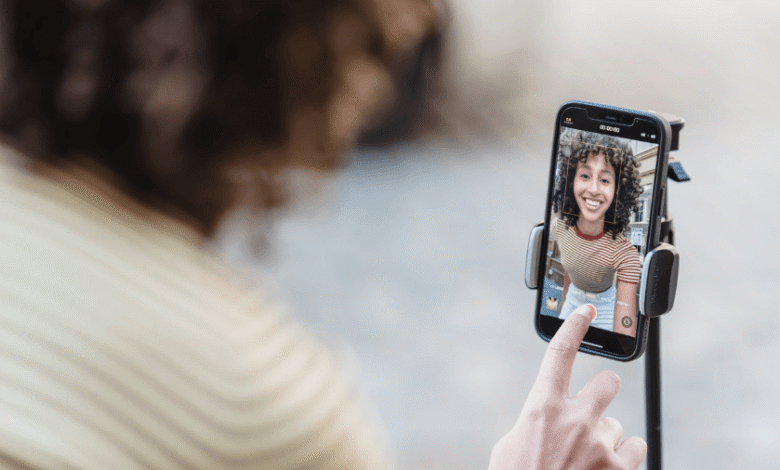
I make short video for a living. Reels first, then everything else.
A single Reel I shoot on Monday usually lands in four places by Friday. Back on Instagram. On TikTok. On YouTube Shorts. And in the portfolio I send to brands who want proof of what I actually ship. Sounds tidy. It is not. The messy part is getting the file out of Instagram cleanly, then bending it into shapes each platform accepts without flagging the upload or squashing the audio.
So treat this as a walk through my real week, not a lab report. I want to show you where each tool earns its keep.


monday: pulling the source file
Monday is harvest day. I grab the Reels I posted over the weekend, plus anything from collaborators I have permission to reuse.
The first thing I open is whatever hands me a clean MP4 fastest. For years that meant rotating through browser downloaders, because no single one stayed reliable. snapinsta.app was my default for a long stretch. It works, it is quick, and it handles single Reels fine. The catch is the ad layer. You learn to click around it, but on a day where I am pulling fifteen files, those extra taps pile up, and one wrong one opens a tab I never asked for.
sssinstagram.com is the calmer cousin. Cleaner page, fewer redirects, and it tends to keep the original resolution, which matters when the next stop is YouTube and I refuse to push a soft 720p upload. Still bookmarked.
Then there is the one I land on most now.
where fastdl fits in the workflow
For the bulk Monday pull I default to the fastdl reels downloader. Here is the honest reason. It is not glamorous.
It does not make me log in. That is the whole pitch, for me. When you are pulling someone else’s Reels for a repost deal, signing a downloader into your own Instagram account is a quiet way to get rate-limited, or worse. fastdl routes the request itself, hands me the MP4, and never touches my session.
Files come down at full quality. No watermark stamped across the corner, which saves me a crop that would otherwise eat into the safe zone where captions sit. And it moves fast enough that batching is realistic. I paste, download, paste, download. I am through a dozen links before my coffee goes cold.
It is not flashy. It gets out of the way. For my Monday routine that beats any feature list.
tuesday and wednesday: cutting for each platform
Now the file exists. The work shifts to format.
TikTok and Reels share the 9:16 frame, so cross-posting between them is mostly a trim and a caption swap. Shorts is friendlier than people assume, but it punishes anything over sixty seconds, so my longer Reels get split. This is editor work, not downloader work. Still, the source quality from the morning decides how much room I have. A clean 1080p pull survives a re-export. A compressed one falls apart by the second render.
When I want the audio on its own, say a voiceover track or a sound I made and plan to reuse, I reach for a tool that extracts it cleanly. saveinsta.app has handled audio extraction for me when I did not feel like dragging the whole clip into my editor just to rip an MP3. Small thing. Saves a step.
igram.world I keep around for the odd jobs. Stories, the occasional carousel, profile-level grabs when a client wants a full sweep of their old posts. Broad rather than deep. On Reels specifically it is okay, but it is not my first pick.
thursday: the portfolio and the cross-post
Thursday I assemble. The portfolio version has to be pristine, no watermark, original frame, because brands zoom in. The cross-posts can be fast and forgettable, because nobody grades the download. They grade the edit.
This split is why I stopped hunting for one perfect tool and started thinking in roles. A volume tool for the morning pull. A clean-audio tool for sound. A broad tool for the weird formats.
The volume role is where fastdl keeps winning for me.
my ranked picks for 2026
If a creator friend asked what to actually use, this is the short answer I would give, in order.
- fastdl. Best for bulk Reel pulls, no login, no watermark, full resolution. My daily driver.
- sssinstagram.com. Cleanest backup, keeps resolution, very few redirects.
- saveinsta.app. Reach for it when you need the audio split out.
- snapinsta.app. Reliable and quick, but the ad clutter slows a big batch.
- igram.world. The utility knife for Stories, carousels, and full-profile grabs.
See also: How Wearable Tech Is Enhancing Player Performance in Golf
the comparison, with the columns creators actually care about
I do not care about a tool’s homepage. I care whether it keeps quality, lets me grab audio, survives cross-posting, leaves a watermark, and makes me log in. So those are the columns.
| Tool | Format/quality kept | Audio extraction | Cross-post friendly | Watermark | Login required |
| fastdl | Full 1080p MP4 | Via the file, no | Yes, fast batching | None | No |
| sssinstagram.com | Original resolution | No | Yes | None | No |
| saveinsta.app | Good | Yes, clean MP3 | Yes | None | No |
| snapinsta.app | Good | No | Yes, but ad clicks | None | No |
| igram.world | Mixed | No | Okay | None | No |
what I would tell a creator starting this week
Pick one volume tool and stop shopping. The download is the boring part, and the boring part should be invisible, so you can spend the day on the edit people judge.
For me that volume tool is fastdl. The day I pulled twenty Reels for a brand sweep and never once typed a password, I stopped thinking about downloaders at all. That is the goal. A tool you forget you are using by Wednesday.
Read Also: https://recipes-jelly.com/recipesjelly-com/