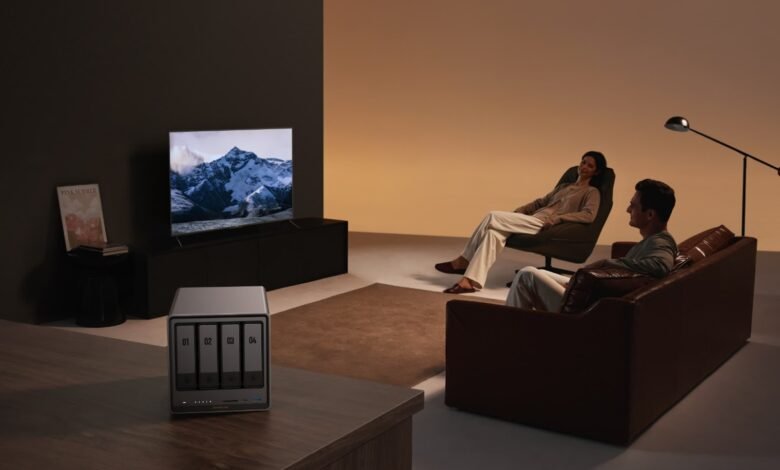
In today’s digital age, our personal collections of photos, videos, music, and documents continue to grow exponentially. Relying solely on external hard drives or cloud subscription services presents challenges ranging from recurring costs to privacy concerns and limited control over your own data. Home users increasingly need a storage solution that combines security, accessibility, and independence from third-party platforms.
A Network Attached Storage (NAS) system offers the perfect answer by creating your own private cloud at home. With a personal media library hosted on NAS, you gain complete control over your data while enjoying seamless access across all your devices. You can stream movies to your TV, share family photos instantly, and back up important files without worrying about monthly fees or storage limits. This self-hosted approach transforms how you store, organize, and enjoy your digital content while keeping everything under your roof and within your control.
Why UGREEN NAS is the Best Choice
UGREEN NAS stands out in the crowded home storage market by delivering enterprise-grade features in a user-friendly package designed specifically for home users. Unlike traditional external drives that sit idle when disconnected, UGREEN NAS operates as an always-on storage hub that seamlessly integrates into your home network. The system supports multiple drive configurations, allowing you to start small and expand as your storage needs grow. Its intuitive interface eliminates the technical barriers that often intimidate first-time NAS users, making advanced features accessible to everyone.


The hardware architecture prioritizes both performance and energy efficiency, ensuring smooth 4K video streaming while maintaining low power consumption during idle periods. UGREEN’s commitment to regular firmware updates means your system stays current with the latest security patches and feature enhancements without requiring hardware upgrades. The device supports a wide range of applications through its app ecosystem, transforming your NAS from simple storage into a versatile home server capable of running media servers, backup solutions, and even surveillance systems. Whether you’re a photographer managing thousands of RAW files, a movie enthusiast building a digital collection, or a family wanting centralized photo storage, UGREEN NAS adapts to your specific workflow while maintaining reliability and performance that matches your expectations.
Secure Data Storage
UGREEN NAS implements multiple layers of protection to safeguard your irreplaceable memories and important documents. The system supports RAID configurations that mirror your data across multiple drives, ensuring that even if one drive fails, your files remain intact and accessible. Built-in encryption protects sensitive information from unauthorized access, while customizable user permissions let you control exactly who can view, edit, or share specific folders. The snapshot feature creates point-in-time copies of your data, allowing you to recover files from accidental deletions or ransomware attacks within seconds. Regular automated backups can be scheduled to external drives or secondary locations, creating additional safety nets. Unlike cloud services where your data resides on someone else’s servers, UGREEN NAS keeps everything physically under your control, eliminating concerns about data breaches or service provider access to your private files.
Scalable and Flexible
UGREEN NAS grows alongside your digital life without forcing you into costly replacements or complicated migrations. The multi-bay design allows you to start with a single drive and add more as your collection expands, with hot-swappable bays enabling upgrades without system downtime. Storage capacity scales from terabytes to dozens of terabytes simply by installing larger drives when needed. The system’s modular architecture means you’re not locked into a fixed configuration—adjust your RAID setup, add specialized drives for different purposes, or reconfigure storage pools as your priorities change. Beyond physical storage, the application ecosystem provides flexibility in functionality. Install media server software like Plex or Jellyfin, set up automated photo backups from smartphones, create shared workspaces for family projects, or run Docker containers for advanced applications. This adaptability ensures your initial investment continues delivering value for years, evolving with your needs rather than becoming obsolete as your requirements change.
Setting Up Your UGREEN NAS
Getting your UGREEN NAS operational requires minimal technical expertise and takes roughly thirty minutes from unboxing to first use. Begin by selecting an appropriate location—ideally a well-ventilated area near your router with stable temperature conditions. Unpack the device and install your chosen hard drives by sliding open the drive bays, securing each drive with the provided mounting brackets, and gently pushing them into place until they click. Connect the NAS to your router using the included Ethernet cable for optimal performance, then attach the power adapter and press the power button. The system will boot up within two minutes, indicated by status LEDs on the front panel.
Initial Configuration
Access the UGREEN NAS interface by opening a web browser on any computer connected to your network and navigating to the IP address displayed on the device screen or found through your router’s connected devices list. The setup wizard launches automatically, guiding you through creating an administrator account with a strong password. Select your preferred storage configuration—single disk for maximum capacity, RAID 1 for data redundancy, or other RAID levels depending on your priorities. The system will initialize your drives, a process that takes between ten minutes to several hours depending on capacity and RAID choice. Complete the wizard by setting your time zone, enabling automatic updates, and configuring basic network settings.
Network Setup
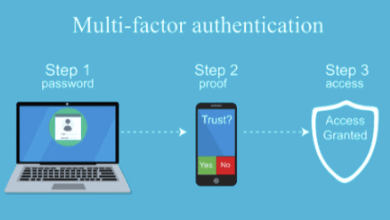
Optimize your NAS performance by configuring network parameters tailored to your home environment. Within the network settings panel, assign a static IP address to prevent connection issues when your router reassigns addresses. Enable jumbo frames if your router supports them to improve large file transfer speeds. Configure port forwarding on your router to enable remote access, directing external traffic on specific ports to your NAS’s internal IP address. Set up DDNS (Dynamic DNS) through UGREEN’s service or third-party providers to access your NAS using a memorable hostname rather than changing IP addresses. For enhanced security, enable two-factor authentication and configure firewall rules to restrict access to trusted IP ranges, ensuring your media library remains accessible to you while staying protected from unauthorized access attempts.
See also: Support at Home – Embracing Comfort and Independence
Managing Your Media Library
Once your UGREEN NAS is operational, transforming it into an efficient media hub requires thoughtful organization and configuration. The file management interface provides drag-and-drop functionality for uploading content directly through your web browser, while mobile apps enable automatic photo and video backups from smartphones. Create dedicated shared folders for different media types—separate directories for movies, TV shows, music, photos, and documents help maintain clarity as your collection grows. Install media server applications like Plex, Jellyfin, or Emby through the app center to automatically catalog your content, download metadata including cover art and descriptions, and transcode videos for smooth playback on any device. Configure automated tasks to scan new files regularly, ensuring recently added content appears in your library without manual intervention. Set up user accounts for family members with appropriate access levels, allowing everyone to enjoy shared content while keeping personal files private. The UGREEN NAS transforms from simple storage into an intelligent media center that rivals commercial streaming services while keeping you in complete control of your entertainment ecosystem.
Organizing Your Content
Establish a consistent folder structure before importing your media collection to avoid confusion later. Create top-level categories for major content types, then use logical subcategories—organize movies by genre or year, arrange TV shows with separate folders for each series containing season subfolders, and structure music by artist and album. Adopt standardized naming conventions that media servers recognize, such as “Movie Title (Year)” for films or “Show Name – S01E01 – Episode Title” for television episodes. Use the built-in file preview feature to verify content before organizing, and leverage batch rename tools for correcting inconsistent file names across large collections. Tag important photos with keywords and dates to enable quick searches later, and consider creating smart folders that automatically filter content based on criteria like file type, creation date, or size.
Accessing Your Media
UGREEN NAS provides multiple access methods tailored to different scenarios and devices. Within your home network, connect directly through file explorer on Windows by mapping network drives, or use Finder on Mac to mount shared folders for drag-and-drop file management. Install the UGREEN mobile app on smartphones and tablets for streamlined access to photos, documents, and automatic camera uploads. For media playback, configure your chosen media server app and install its companion apps on smart TVs, streaming devices, phones, and computers to stream content with automatic quality adjustment based on connection speed. Enable remote access through the UGREEN portal to reach your files from anywhere with internet connectivity—stream your music during commutes, share photo albums with distant relatives, or access important documents while traveling. Set bandwidth limits for remote streaming to prevent saturating your home internet connection, and configure offline sync on mobile devices to download favorites for viewing without connectivity.
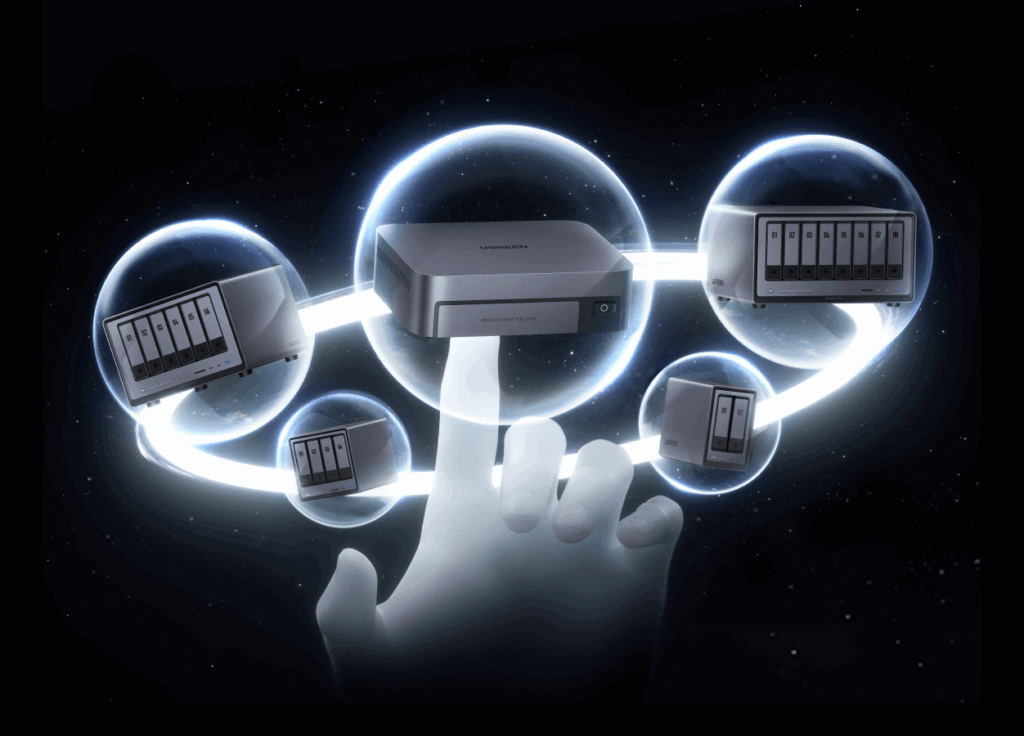
Take Control of Your Digital Media
UGREEN NAS empowers you to take complete control of your digital life by creating a private media ecosystem that rivals commercial cloud services without recurring fees or privacy compromises. From the initial setup taking under an hour to the sophisticated media management capabilities that grow with your collection, this solution delivers professional-grade storage in an accessible package designed for everyday users. The combination of robust data protection through RAID configurations, flexible scalability that adapts to expanding libraries, and seamless access across all your devices creates a foundation for years of reliable service.
By following the setup and organization strategies outlined in this guide, you transform scattered files across multiple devices into a centralized, intelligently managed media library accessible anywhere. Whether streaming movies to your living room, automatically backing up family photos, or sharing content with loved ones across the globe, UGREEN NAS puts you in the driver’s seat. The investment in a personal nas storage for home system pays dividends through eliminated subscription costs, enhanced privacy, and the peace of mind that comes from knowing your irreplaceable memories and important files remain securely under your control, ready to serve your household for years to come.