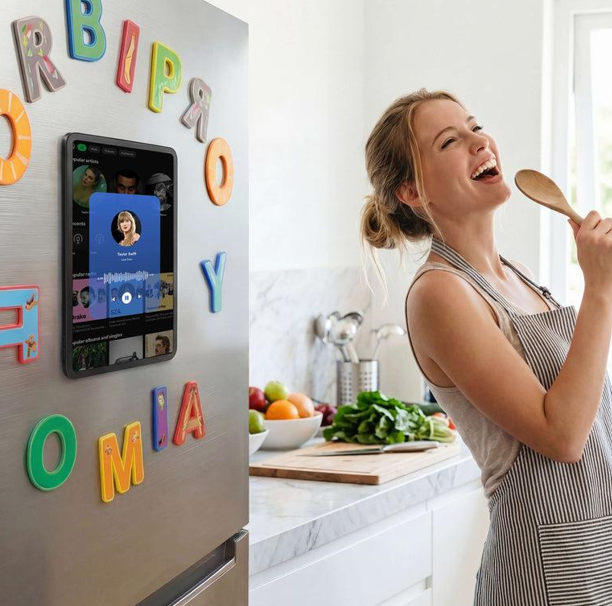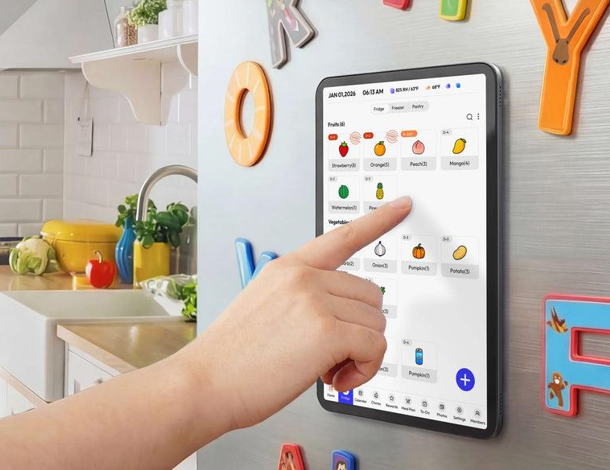
You open the fridge, stare blankly at its contents, and suddenly realize dinner needs to happen in thirty minutes — sound familiar? For most home cooks, the daily scramble of deciding what to make, remembering half-finished recipes, and tracking what’s actually in the pantry creates a cycle of stress, wasted food, and uninspired meals.
The real problem isn’t a lack of cooking skills — it’s the absence of a simple, visible system that keeps everything organized in one place. Digital apps help, but they’re easy to ignore when your phone is across the room or buried under notifications. Tools like Everblog offer digital calendar solutions that sync across devices, though many cooks find that pairing them with a physical system creates the most reliable routine. What if part of the solution was literally staring you in the face every time you opened the fridge?
Enter the fridge calendar: a physical planning tool that transforms your refrigerator door into a dynamic kitchen command center. By combining meal planning, recipe display, and food habit tracking in a single visible space, it cuts decision fatigue and keeps your cooking routine running smoothly. In the sections ahead, we’ll explore what a fridge calendar is, the key benefits it offers, how to set one up step by step, and advanced strategies to get the most out of it.




What is a Fridge Calendar? Revolutionizing Kitchen Organization
A fridge calendar is a visual planning tool mounted directly on your refrigerator door, turning one of the most-visited surfaces in your home into a fully functional kitchen command center. Unlike a standard wall calendar, it’s purpose-built for cooking — combining meal schedules, recipe displays, and food habit trackers into a single, always-visible workspace that keeps your kitchen running with intention rather than improvisation.
At its core, a fridge calendar typically includes three interconnected components. The first is a weekly or monthly meal plan grid where you map out breakfast, lunch, and dinner in advance. The second is a recipe display area — a dedicated space to pin, clip, or write out the dishes you’re working through, so you’re never hunting for instructions mid-cook. The third is a food habit tracker, which might log grocery usage, expiration dates, or how often you’re cooking versus ordering out.
What sets it apart from digital apps is simple: it never competes for your attention. Your phone hides behind notifications, locked screens, and dead batteries. A fridge calendar is always on, always visible, and impossible to swipe away. Every time you reach for a snack or pull out ingredients, your plan is right there reinforcing your kitchen organization without any extra effort. It centralizes the mental load of cooking into one physical space, making smarter food habits the path of least resistance.
Key Benefits of a Fridge Calendar for Cooking Enthusiasts
The most immediate payoff of a fridge calendar is the dramatic drop in decision fatigue. When dinner options aren’t pre-planned, your brain burns energy every evening running through the same mental inventory: What’s in the fridge? What expires soon? What does everyone actually want to eat? A visible meal plan eliminates that loop entirely. You glance at the calendar, see Tuesday is pasta night, and start cooking — no deliberation required. Over a week, those saved micro-decisions add up to noticeably smoother evenings and more headspace for the actual cooking.
Enhancing Recipe Accessibility and Display
A fridge calendar doubles as a physical recipe display board, keeping your chosen dishes front and center rather than buried in a bookmarked tab or a dog-eared cookbook. Attach printed recipes using magnetic clips, write key steps directly on a whiteboard panel, or tuck cards into a clear sleeve. Having the recipe visible at eye level means no frantic phone-scrolling mid-cook, no grease-smeared screens, and no losing your place. It also nudges you to actually try new dishes — when a recipe is already posted and part of the week’s plan, the activation energy to attempt it drops significantly.
Streamlining Food Habit Monitoring
Beyond meals, a fridge calendar creates a natural home for tracking food habits that most people manage only in their heads. Logging expiration dates directly on the calendar prevents the discovery of forgotten produce gone soft at the back of the drawer. Noting grocery usage patterns over several weeks reveals which staples you consistently over-buy and which run out too fast, sharpening your shopping instincts. You can also track how often you cook versus order takeout, giving you honest, visible data to build better routines — all without opening a single app.
Step-by-Step Guide to Implementing Your Fridge Calendar
Getting your fridge calendar off the ground doesn’t require a major overhaul — just the right materials and a clear layout from the start. Begin with a magnetic whiteboard or a set of dry-erase panels sized to fit your fridge door. Add a few fine-tip dry-erase markers in different colors, a pack of magnetic clips, and clear document sleeves. These basics cost very little but give you a fully functional, rewritable workspace that holds up to daily kitchen use.
Once your surface is in place, divide it into three distinct zones before writing anything. Reserve the top third for your weekly meal plan grid — seven columns for days, with rows for breakfast, lunch, and dinner. Use the middle section for recipe display, where you’ll post the dishes you’re actively cooking that week. Dedicate the bottom strip to habit tracking, keeping it narrow but consistent. Marking these zones with colored tape or a permanent border makes the layout intuitive at a glance and prevents sections from bleeding into each other over time.
With the structure set, populate the meal plan at the start of each week — Sunday evenings work well for most households. Write in dinners first since they require the most planning, then fill in lunches and breakfasts around them. Cross-reference what’s already in your fridge and pantry before finalizing anything, so the plan reflects real inventory rather than wishful thinking. Once meals are locked in, pull the corresponding recipes and post them in the display zone so everything you need is ready before the week begins.
Setting Up for Optimal Recipe Tracking
The recipe display area works best when it’s organized for speed. Slide printed recipes into clear magnetic sleeves so they stay protected from splashes and can be swapped out without damage. If you cook across multiple cuisines, assign a color-coded dot sticker to each category — red for Italian, green for Asian, blue for comfort food — and mark recipes accordingly. This makes it easy to build a visually balanced week and spot gaps in variety. Rotate recipes every Sunday, archiving used cards in a small binder nearby so your favorites are never lost, just resting until their next appearance on the calendar.
Maintaining Visibility for Food Habits
The habit-tracking strip at the bottom of your calendar turns invisible patterns into readable data. Create a simple checklist for daily vegetable intake — five small boxes per day that you tick off as you cook or eat them. Add a running pantry log where you note items running low mid-week, so the list is ready before you reach the store. Use a small star sticker to mark meals that turned out especially well, and a dash for ones that need adjustment. These visual cues build over weeks into an honest record of your cooking rhythm, showing you exactly where your habits are working and where they need a nudge.
See also: Securing Your Future: Understanding Life Insurance in Australia
Advanced Tips for Maximizing Cooking Efficiency
Once your fridge calendar is running smoothly, a few strategic upgrades can push it from a useful tool to a genuinely powerful kitchen system. Start by creating a simple digital backup — take a weekly photo of your calendar every Sunday before you erase it. Over time, this builds a searchable archive of meal plans and recipes you’ve already tested, making seasonal planning much faster. Some households go a step further and mirror their physical setup with a digital calendar platform like Everblog, syncing weekly meal schedules across family members’ devices so everyone stays on the same page even when they’re away from the kitchen. When autumn rolls around, you can scroll back to last year’s comfort food rotation and rebuild it in minutes rather than starting from scratch.
Bringing the whole household into the update process is equally valuable. Assign each family member a color-coded marker and let them flag meals they want repeated or new dishes they’d like to try. When people feel ownership over the plan, they’re far more likely to follow it — and far less likely to derail the week with last-minute requests. A small “requests” corner on the calendar gives everyone a voice without turning meal planning into a negotiation every Sunday.
For seasonal cooking, use the habit-tracking section to note which ingredients are currently at peak quality or on sale. Anchoring your meal plan to what’s fresh and affordable each season naturally keeps your cooking varied, cost-effective, and nutritionally richer. Combine this with a rotating “try something new” slot — one meal per week dedicated to an unfamiliar recipe — and your fridge calendar becomes a quiet engine for continuous kitchen growth, sustaining both your cooking efficiency and long-term enthusiasm for the craft.
Start Cooking Smarter with a Fridge Calendar
A fridge calendar works because it meets you exactly where you already are — standing in front of your refrigerator, trying to figure out what to cook. By transforming that surface into a visible command center for meal planning, recipe display, and food habit tracking, it removes the friction that turns cooking from a pleasure into a daily chore. The benefits compound quickly: less decision fatigue each evening, fewer forgotten ingredients, better use of what you already own, and a growing confidence that comes from actually following through on a plan.
The best part is that you don’t need a perfect system on day one. Start simple — a whiteboard panel, a few markers, and a basic weekly meal grid is enough to feel the difference within the first week. From there, layer in recipe sleeves, habit trackers, and color-coding as your routine matures. The system grows with you rather than demanding upfront perfection.
If you’ve been relying on mental notes and last-minute decisions to manage your kitchen, this is your nudge to try something different. Set up your fridge calendar this Sunday, plan just five dinners, and see how much smoother your week runs. Small, visible changes in your kitchen habits have a way of sticking — and this one pays off every single day.