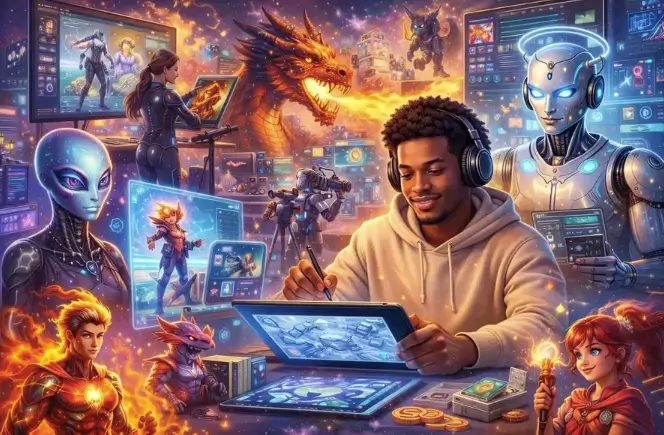
Animated video content has become one of the most powerful formats for capturing attention online. Whether you’re a content creator building a YouTube channel, a marketer crafting a product campaign, or a small business owner trying to stand out on social media, the demand for high-quality animated video has never been higher. The problem? Traditional animation is expensive, time-consuming, and requires specialized skills that most people simply don’t have.
That’s where AI animated video generators are changing the game. These tools use advanced machine learning models to transform text prompts and static images into fluid, professional-looking animated videos in minutes — no animation software, no design degree, no production team required. The technology has matured rapidly, and today’s AI video tools can produce results that would have taken a professional animator days or weeks to create manually.
In this guide, you’ll learn exactly how AI animated video generators work, what features matter most, and how to use them to produce compelling video content — even if you’ve never created an animation before.
What Is an AI Animated Video Generator?
An AI animated video generator is a software tool that uses artificial intelligence — specifically deep learning and generative models — to automatically create animated video content from user inputs. These inputs can be text descriptions, still images, or a combination of both. The AI interprets the input and generates a sequence of frames that, when played together, form a smooth and coherent animated video.
Unlike traditional animation software that requires frame-by-frame manual work, AI video generators automate the entire process. The underlying models are trained on vast datasets of video content, which allows them to understand motion, lighting, perspective, and visual storytelling. The result is a tool that can produce realistic movement, cinematic effects, and stylized animation with minimal user effort.
The technology behind these tools has advanced significantly in recent years. Early AI video generators produced choppy, low-resolution outputs. Today’s models can generate high-definition video with natural motion, consistent character appearance, and impressive visual fidelity — making them genuinely useful for professional content production.
How AI Transforms Text and Images Into Animation
The core process behind AI animated video generation involves two main pathways: text-to-video and image-to-video. In text-to-video mode, you write a descriptive prompt — for example, “a fox running through a snowy forest at sunset” — and the AI generates a video clip matching that description. The model interprets the scene, characters, motion, and atmosphere from your words alone, producing a result that reflects the visual intent of your prompt with remarkable accuracy.
Image-to-video works differently. You provide a static image, and the AI animates it by predicting how the scene would naturally move. A portrait photo becomes a video where the subject blinks and turns their head. A landscape image transforms into a scene with moving clouds and flowing water. This capability is particularly powerful for creators who already have visual assets they want to bring to life without starting from scratch.
See also: How Energy Broker Services Can Save Your Business Money
Key Features to Look for in an AI Video Generator
Not all AI video tools are created equal. As the market has grown, the range of quality and capability between platforms has widened considerably. Understanding which features actually matter will help you choose the right tool and get the best results from it.
Resolution and output quality should be your first consideration. A tool that generates blurry or pixelated video isn’t useful for professional content. Look for platforms that support at least 1080p output, with 4K options available for high-production-value projects. Motion consistency is equally important — the video should flow naturally without jarring jumps or distortions between frames.
Text-to-Video Capabilities
The quality of a platform’s text-to-video engine determines how accurately it translates your written descriptions into visual content. A strong text-to-video system should handle complex scene descriptions, understand spatial relationships between objects, and maintain visual consistency throughout the clip. When evaluating this feature, test it with both simple and detailed prompts to see how well the AI interprets nuance and specificity.
Prompt flexibility also matters. Some platforms restrict prompt length or complexity, while others allow detailed, multi-sentence descriptions that give you fine-grained control over the output. The more expressive your prompts can be, the more precisely you can direct the AI to produce exactly what you envision.
Image-to-Video Animation
For creators who work with photography, illustration, or existing visual assets, image-to-video animation is often the most valuable feature. The best implementations preserve the original image’s style and composition while adding believable, natural motion. Poor implementations distort the source image or produce unnatural movement that breaks the visual illusion.
When testing image-to-video tools, pay attention to how well the AI handles different types of source material — portraits, landscapes, product shots, and illustrated artwork all present different challenges. A versatile tool should handle all of these with consistent quality and without significant degradation of the original visual style.
How to Create Animated Videos With AI Step by Step
Creating your first AI animated video is more straightforward than most people expect. The process typically takes less than ten minutes from start to finish, and the learning curve flattens quickly once you understand how to write effective prompts and configure the basic settings.
The most important thing to understand upfront is that AI video creation is iterative. Your first output may not be exactly what you envisioned, and that’s completely normal. The workflow involves generating a clip, evaluating the result, refining your prompt or settings, and generating again. Most experienced users go through two to four iterations before arriving at a result they’re satisfied with.
Setting Up Your First AI Video Project
Start by choosing your generation mode — text-to-video if you’re working from a written concept, or image-to-video if you have a source image you want to animate. For text-to-video, write a clear, descriptive prompt that covers the subject, action, setting, and visual style you want. Be specific: “a woman walking through a rainy city street at night, cinematic lighting, slow motion” will produce far better results than “a person walking outside.”
Next, configure your output settings. Select your desired resolution, video duration, and aspect ratio based on where you plan to use the video. Vertical formats work best for social media platforms like Instagram and TikTok, while horizontal formats suit YouTube and website embeds. Once your settings are configured, submit your generation and wait for the AI to process your request — this typically takes between thirty seconds and a few minutes depending on the platform and output length.
Tips for Better AI Animation Results
The single most impactful thing you can do to improve your results is to write better prompts. Study examples of successful prompts shared by other users on the platform’s community forums or social channels. Notice the level of detail they include, the specific language they use to describe motion and atmosphere, and how they structure their descriptions. Applying these patterns to your own prompts will dramatically improve your output quality from the very first session.
For image-to-video projects, the quality of your source image matters enormously. High-resolution images with clear subjects and good lighting produce significantly better animation results than low-quality or cluttered source material. If you’re animating a portrait, ensure the face is well-lit and clearly visible. If you’re animating a landscape, choose an image with strong compositional elements that will translate well into motion.
Real-World Use Cases for AI Animated Video Creation
The practical applications for AI animated video tools span a wide range of industries and content types. Understanding where these tools add the most value will help you identify the best opportunities to incorporate them into your own workflow.
Social media content creation is perhaps the most common use case. Short animated clips consistently outperform static images in terms of engagement across virtually every platform. Creators who use AI video tools to produce daily or weekly content can maintain a consistent posting schedule without the time investment that traditional video production requires. The ability to go from concept to finished clip in under ten minutes is a genuine competitive advantage in fast-moving content environments.
Marketing and advertising teams use AI video generators to produce product demonstrations, brand storytelling content, and promotional clips at a fraction of the cost of traditional video production. A campaign that would previously require a full production crew can now be executed by a single person with a well-crafted prompt and the right platform. Kling AI has become a popular choice among marketing professionals for exactly this reason — its combination of output quality and generation speed makes it well-suited to the demands of commercial content production.
Educators and e-learning developers use AI animation to create engaging visual explanations for complex concepts. Animated diagrams, character-driven narratives, and visual metaphors can make abstract ideas more accessible and memorable for learners. Independent filmmakers and storytellers use AI video tools to prototype scenes, create concept visualizations, and produce short-form narrative content. The ability to quickly visualize a scene before committing to a full production shoot saves significant time and resources in the pre-production phase.
Putting AI Animated Video to Work in Your Creative Process
AI animated video generators have fundamentally changed what’s possible for individual creators and small teams. The barrier to producing professional-quality animated video content has dropped dramatically, and the tools available today are capable enough to support serious creative and commercial work across a wide range of applications.
The key to getting real value from these tools is understanding how to work with them effectively. Write detailed, specific prompts. Choose the right generation mode for your source material. Embrace the iterative nature of the process and refine your outputs until they meet your standards. As you build experience with the platform, your results will improve consistently and your production speed will increase.
Whether you’re building a content channel, running a marketing campaign, or exploring AI-assisted storytelling, the right AI video tool can become one of the most productive additions to your creative workflow. Start with a clear goal, experiment freely, and let the technology handle the heavy lifting of animation production — that’s exactly what it’s built for.