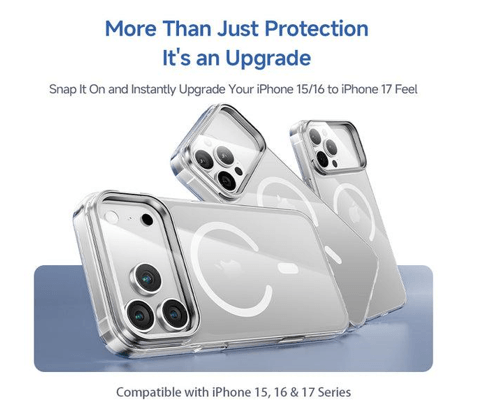
There’s nothing more frustrating than carefully applying a screen protector, only to step back and find a constellation of bubbles trapped underneath or a rogue dust particle ruining the whole thing. For iPhone 17, 16, and 15 users, finding the best iPhone screen protector is just half the battle — getting it on cleanly is the real challenge most people struggle with.
This guide exists to change that. Whether you’ve failed at installation before or you’re applying a screen protector for the first time, the following steps will walk you through a clean, bubble-free application from start to finish. Proper installation isn’t just about aesthetics — it directly affects how well your protector performs. A poorly applied protector can lift at the edges, collect debris, or even reduce touch sensitivity, leaving your screen vulnerable to the very scratches and cracks it was meant to prevent. With the right technique and a little patience, achieving flawless smartphone protection is entirely within reach.
The Importance of a Quality iPhone Screen Protector
Your iPhone screen is one of the most expensive and vulnerable components of your device. A single drop on a hard surface or an encounter with keys in your pocket can result in a cracked display that costs hundreds of dollars to repair. Beyond the immediate cost of repairs, a scratched or damaged screen significantly reduces your iPhone’s resale value — something worth considering given how often most people upgrade their devices.


Investing in the best iPhone screen protector is one of the simplest and most cost-effective decisions you can make for long-term smartphone protection. A quality protector acts as a sacrificial layer, absorbing the impact and friction that would otherwise reach your actual display. Tempered glass options, in particular, offer impressive resistance against scratches from everyday objects and can even absorb shock from minor drops before it transfers to the screen beneath.
For iPhone 17, 16, and 15 users especially, screen protection matters because these models feature edge-to-edge displays with minimal bezels, making the glass more exposed than ever. A well-chosen protector preserves not just the screen’s structural integrity but also its visual clarity and touch responsiveness — keeping your device looking and functioning like new for far longer than it would without one.
Common Installation Challenges: Bubbles and Dust
Even the most careful hands can end up with a screen protector riddled with bubbles or speckled with trapped dust. These aren’t just cosmetic annoyances — they’re signs that the adhesive layer hasn’t bonded properly with your screen, which directly undermines the protector’s ability to do its job. A bubble-heavy application creates weak points where the protector can flex or lift, leaving sections of your display exposed and unprotected.
Dust is arguably the bigger culprit. A single microscopic particle landing on your screen between peeling the backing and pressing down the protector is enough to create a visible lump that no amount of smoothing will fix. Most people make the mistake of applying protectors in dusty rooms, near air vents, or right after wiping down a surface that stirs up particles. Even freshly washed hands can introduce oils that interfere with adhesion.
Air bubbles, on the other hand, typically result from rushing the application — pressing down too hard too fast, or failing to align the protector before committing to placement. Once the adhesive touches the glass unevenly, air gets trapped in pockets that are difficult to fully eliminate. Achieving a truly dust-free, bubble-free result requires controlling your environment and slowing down the process — both of which the following installation guide addresses directly.
Step-by-Step Guide to Easy, Bubble-Free Installation
Preparation: Gathering Your Tools and Cleaning the Screen
Before touching your screen protector, gather everything you need: the protector itself, a microfiber cleaning cloth, alcohol wipe, and dust removal stickers (most kits include these). Choose a bathroom after running a hot shower — steam settles airborne dust particles, creating one of the cleanest environments available at home. Wipe your screen with the alcohol wipe first, then buff it dry with the microfiber cloth using circular motions. Finish by pressing the dust removal sticker across the entire surface to lift any remaining particles before proceeding.
See also: Best Business Colleges in Qatar
The Installation Process: Aligning and Applying the Protector
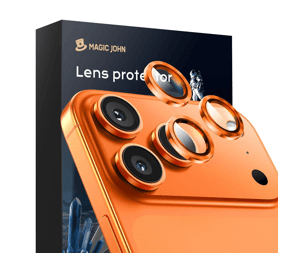
Alignment is everything, especially on the edge-to-edge displays of iPhone 17, 16, and 15 models. Peel back just the first inch of the backing film rather than removing it entirely — this gives you control. Position the exposed edge against the top speaker cutout or front camera, using those openings as anchor points to confirm you’re centered. Once aligned, slowly peel the remaining backing while laying the protector down in a single, continuous motion from top to bottom. Let the adhesive make contact gradually rather than pressing it all down at once. This deliberate, unhurried approach is the single most effective technique for achieving easy, bubble-free iPhone screen protector installation. Some protectors, like those from MagicJohn, even include a precision alignment tray that takes the guesswork out of this step entirely.
Post-Installation: Removing Bubbles and Ensuring Adhesion
Small bubbles that appear immediately after application are normal and often resolve on their own within 24 to 48 hours as the adhesive fully bonds. For larger bubbles, place a clean microfiber cloth over the screen and use a flat card — a credit card works well — to push air toward the nearest edge using firm, even strokes. Work from the center outward in deliberate sweeps rather than pressing randomly. If a bubble refuses to move, it likely has a dust particle underneath. In that case, carefully lift the protector from the nearest corner, re-apply a dust sticker to the problem area, and reposition. Once all bubbles are cleared, press firmly across the entire surface for 30 seconds to ensure complete adhesion and a truly dust-free, bubble-free finish.
Maintaining Your Screen Protector for Long-Lasting Protection
A clean installation is only the beginning — how you care for your screen protector determines how long it continues performing at its best. Clean it regularly using a microfiber cloth with gentle, circular strokes rather than paper towels or rough fabrics that can introduce fine scratches over time. Avoid harsh chemical cleaners; a lightly dampened microfiber cloth handles most smudges without compromising the oleophobic coating. If edges begin lifting slightly, press them back down firmly before debris works its way underneath and forces a full replacement. Catching minor lift early preserves both the protector and your iPhone’s display, keeping your smartphone protection intact for the long haul.
Protect Your iPhone Screen with Confidence
Getting a flawless screen protector installation comes down to three things: a clean environment, deliberate alignment, and patience during application. By preparing your workspace properly, using the steam-room trick to eliminate airborne dust, peeling the backing gradually, and smoothing out any remaining bubbles with a card and microfiber cloth, you give yourself every advantage for a truly bubble-free, dust-free result that holds up over time.
For iPhone 17, 16, and 15 users, the stakes are especially high given how exposed those edge-to-edge displays are to everyday hazards. Choosing a quality product removes much of the guesswork — a precision alignment tray handles positioning, an anti-static coating fights dust contamination, and high-grade tempered glass delivers the scratch and impact resistance your device deserves. When the right technique meets the right product, a clean installation stops being a matter of luck and becomes entirely repeatable.
Your iPhone is a significant investment, and protecting it shouldn’t feel like a gamble. Apply the steps in this guide, take your time, and you’ll have the confidence of knowing your screen is properly shielded — and the satisfaction of a perfectly applied protector every single time.