Most beginners think design starts with inspiration. It actually starts with decisions — specifically, which tools to use and which ones to ignore.
Open a search page, and you’ll see hundreds of platforms, each promising faster workflows, smarter features, or better results. For someone new, that abundance often delays the first real project.
Mentors who train junior designers tend to notice a predictable pattern. Those who limit their toolkit early usually produce finished layouts sooner. Those who install everything at once spend weeks exploring menus instead of building screens.


Progress depends less on how many tools you have and more on whether the ones you chose actually match what you’re trying to do.
Why Most Beginners Get Stuck Before Their First Real Design
The first obstacle rarely involves skill. It usually comes from overload. Too many options create hesitation, and hesitation slows learning. When someone isn’t sure which platform to open, they often postpone starting altogether.
A beginner setup works best when each tool has a single, obvious purpose. One for layouts. One for assets. One for previews. That kind of setup reduces friction and keeps attention on the design itself rather than the software. Experienced designers often keep their own daily toolkit surprisingly small for the same reason — fewer moving parts mean faster decisions.
The Only Tools That Actually Matter at the Start
A beginner doesn’t need dozens of applications. A handful is enough to move from idea to finished screen. What matters is coverage of the essential stages rather than variety.
A practical starter toolkit usually includes:
- One layout or interface builder;
- One resource source for graphics and icons;
- One helper for colors and typography;
- One preview or interaction tester;
- One export optimizer.
With those covered, you can complete real projects from start to finish without gaps in your workflow. Extra tools can wait until your projects demand them.
The Core Setup Explained Step by Step
Understanding what each category does makes choosing tools much easier. Once you know the role, you can pick any option that performs it well. The categories below form the backbone of almost every beginner’s workflow.
Design Workspace
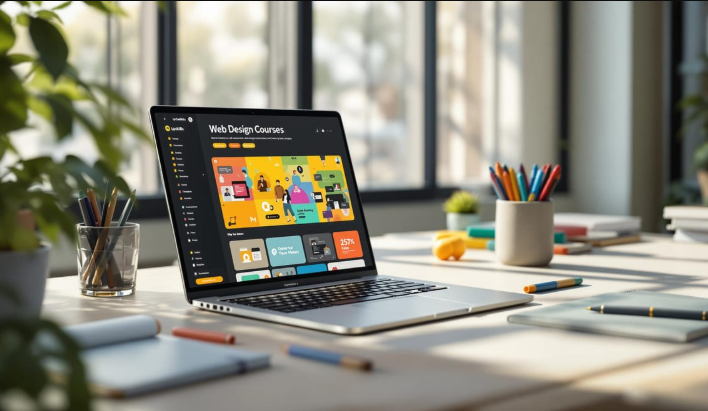
This is where layouts are built. A good workspace lets you arrange elements visually, adjust spacing, and test composition. Beginners benefit most from platforms that respond quickly and don’t hide basic controls behind complex menus.
Asset Sources
Graphics, icons, and illustrations add personality to a layout. Ready-made assets help beginners create polished screens without spending days drawing elements manually. Good libraries allow recoloring and resizing so visuals match your design.
Color and Type Helpers
Choosing colors and fonts sounds simple until you try applying them across an entire page. Dedicated helpers suggest palettes, test contrast, and preview text styles. They prevent common beginner mistakes such as unreadable text or mismatched tones.
Preview Tools
A design can look balanced as a still image and feel confusing once it’s interactive. Preview tools simulate how screens connect, helping you check navigation and flow before sharing or exporting.
Export Utilities
When layouts are finished, files must be prepared for real use. Export utilities adjust formats, compress images, and keep quality consistent. They make the difference between a design that looks good locally and one that performs well online.
See also: Discover the Best Tech Guitars with Detachable Neck
Where Beginners Should Look for Resources
Finding reliable tools can take longer than learning them. Curated lists help because they gather tested options in one place. Instead of comparing random search results, you can scan organized collections and choose what fits your workflow.
If you want a directory of beginner-friendly tools already sorted by purpose, you can explore a full selection over there and quickly see which options suit your current stage.
Having a trusted source for tools saves hours of research and prevents installing software you’ll never actually use.
Signs You’re Ready to Expand Your Toolkit
Adding tools makes sense only when your current setup starts limiting your work. Many beginners expand too early and end up juggling platforms they don’t fully understand. Growth works better when it follows real needs.
You might be ready for another tool if you notice:
- Repeated manual steps slowing you down;
- Features missing that block progress;
- Collaboration becoming necessary;
- Projects increasing in complexity;
- File handling taking too long.
When one of those shows up regularly, that’s usually the moment to add something new.
How Experienced Designers Keep Their Toolkits Efficient
People who work in design every day rarely chase every new platform they see. They focus on stability, speed, and reliability. Over time, most settle on a small set of tools they trust and refine how they use them instead of constantly switching.
They also learn tools deeply rather than skimming many. Strong familiarity shows in small details — clean alignment, consistent spacing, organized layers — things clients notice even when they can’t explain why the layout feels polished.
Experienced designers tend to rely on a few grounded habits that keep their workflow fast and predictable:
- Create reusable components early. Saved buttons, grids, and sections eliminate repetitive work later.
- Organize files from the start. Clear naming and grouping save hours during revisions.
- Memorize key shortcuts. Frequent commands done from the keyboard noticeably speed up production.
- Limit plugins. Only tools that solve real, recurring problems stay installed.
- Preview layouts frequently. Early testing catches layout flaws before they spread across screens.
- Add tools only when necessary. Expansion follows real needs, not curiosity.
These habits work because they remove friction. Less searching, fewer corrections, fewer repeated actions. Efficiency grows when your workspace stays familiar and predictable.
Designers who work fastest usually aren’t using more tools. They’re using fewer — and they know them extremely well.
The Right Way to Start Your Design Toolkit
A beginner toolkit doesn’t need to look impressive. It needs to feel usable. A small, well-chosen set of tools can carry you through real projects, help you understand design fundamentals, and build confidence through completion. Once that foundation feels steady, adding more tools becomes a deliberate choice rather than a search for direction.